A segment is a dynamic group of contacts that match conditions you set, and it updates itself automatically as contacts start or stop meeting those conditions.
Instead of emailing your whole list, you reach the people most likely to care, which lifts engagement and protects your deliverability.
Before you start
Segments are built from the data you already hold on contacts. Their tags, their properties, and their behavior (opens, clicks, whether they were sent a campaign). The richer that data, the sharper your segments. See What Are Tags and How to Use Them and What Are Properties and How to Use Them.
Step 1: Open Segments and create a new one
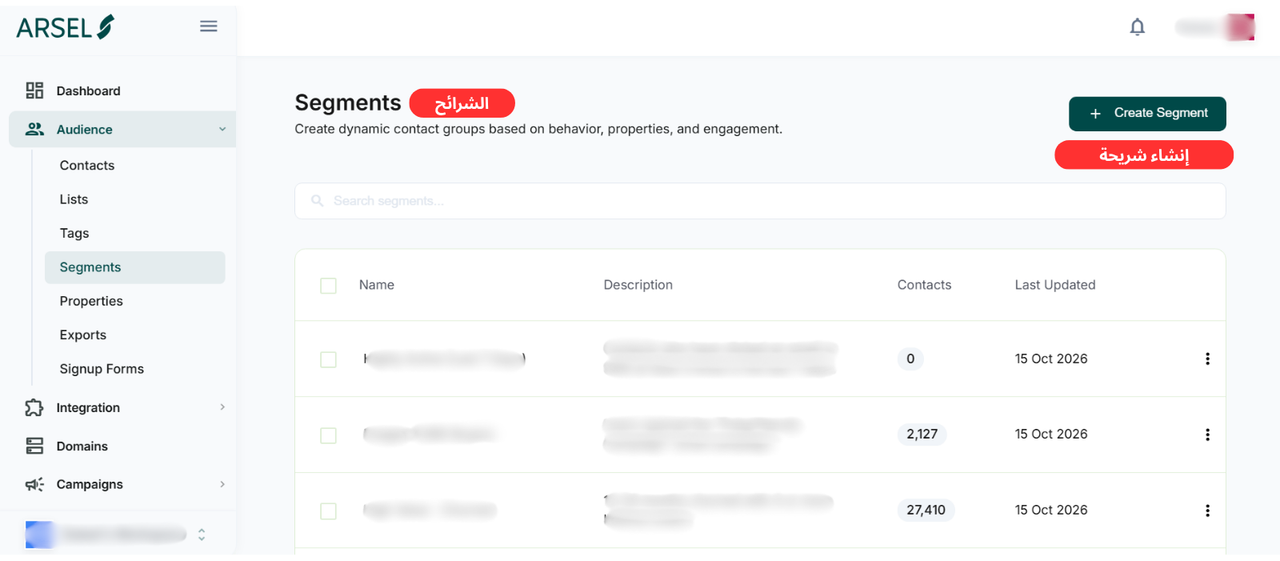
From the sidebar, open Audience → Segments, then click Create Segment.
Step 2: Name your segment
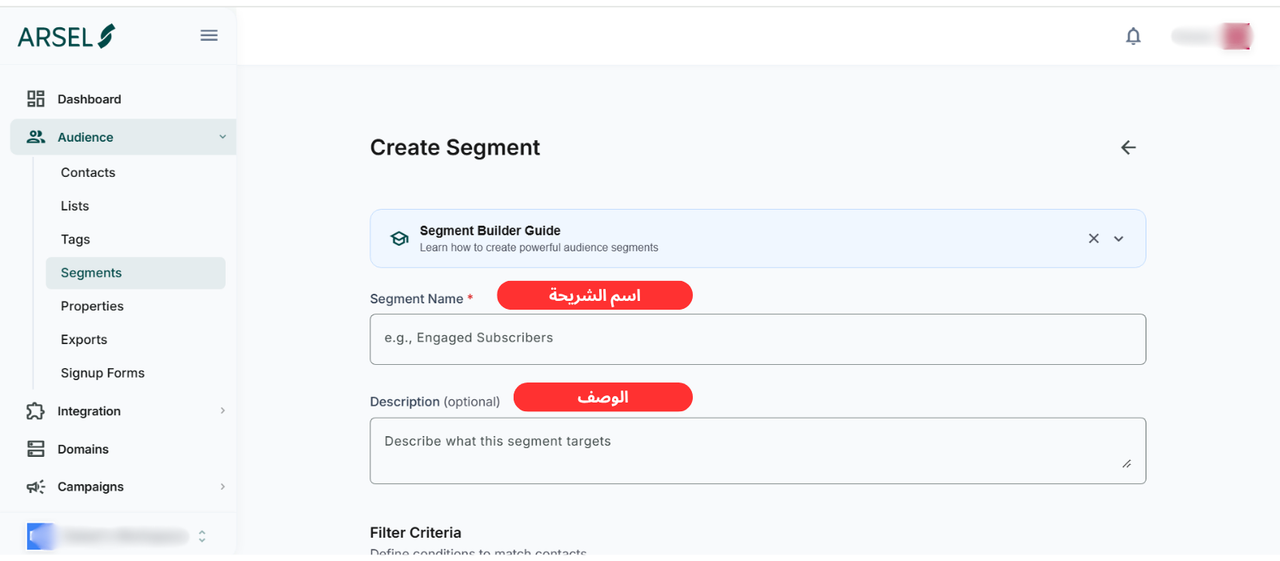
Give it a clear Segment Name (for example, "Engaged Subscribers") and, optionally, a Description of who it targets, future-you and your team will thank you.
Step 3: Define your filter criteria
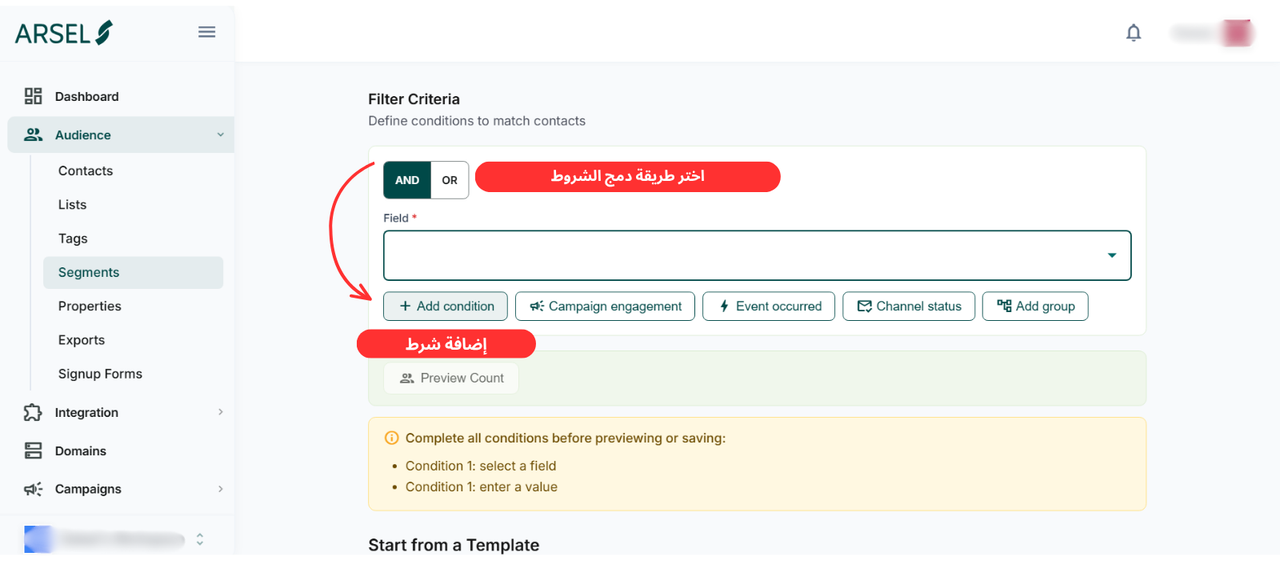
Under Filter Criteria, choose a Field to filter on — a property (city is Riyadh), a tag (has vip), and more.
Add more rules with Add condition, target behavior with Campaign engagement (for example, contacts who were or weren't sent a specific campaign) or Event occurred, and use Add group for nested logic.
Then choose how the conditions combine:
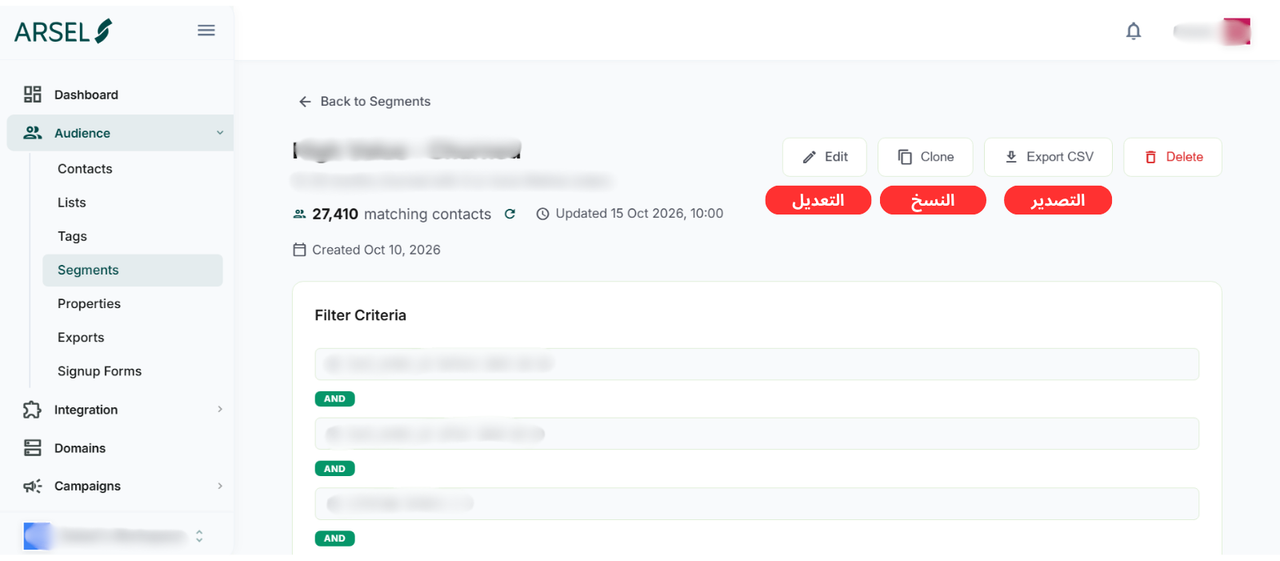
- AND narrows the group: every condition must match.
- OR widens it: any condition can match.
Step 4: Check the matching contacts
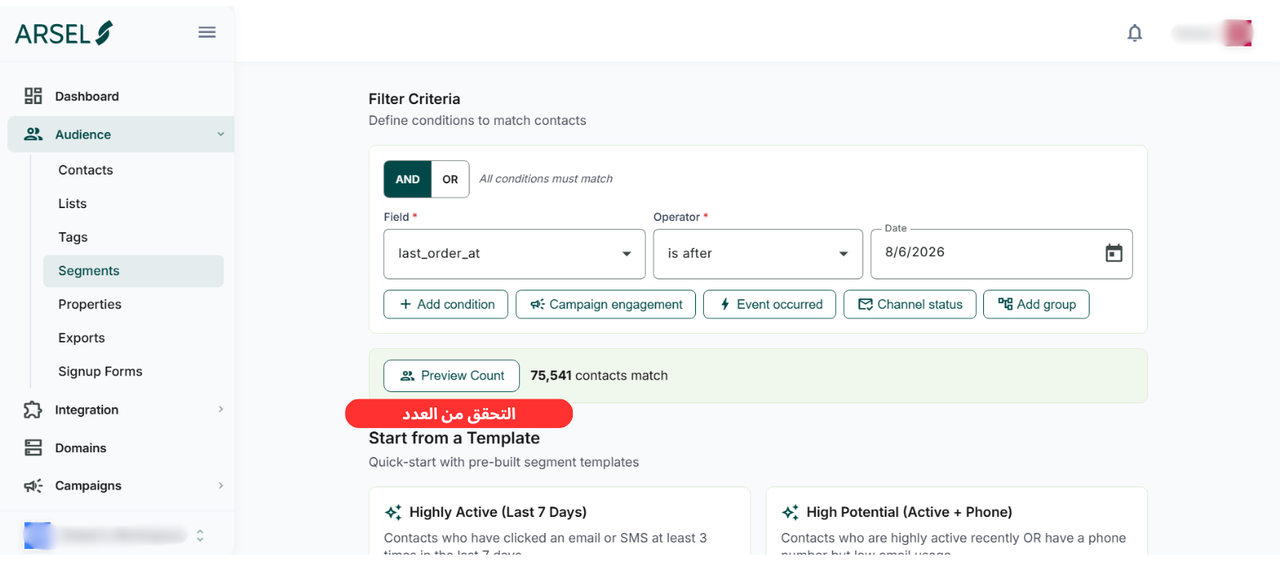
As you build, Arsel shows how many contacts match. If the count is very low, your conditions may be too narrow.
Step 5: Save and use your segment
Save the segment, then select it as the recipients of a campaign. From a segment's page you can also Edit, Clone, or Export CSV. See How to Create an Email Campaign.
Segment ideas to start with
- Contacts who engaged in the last 30 days: your most responsive audience.
- A reactivation batch that excludes anyone who already sent an earlier campaign.
- Customers in a specific city, for a local offer.
- Subscribers who haven't engaged in 90+ days: for a win-back before you sunset them.
Common mistakes to avoid
- Conditions that are too narrow: Stacking many AND conditions can leave you with almost no one to send to.
- Confusing AND with OR: "City is Riyadh AND city is Jeddah" matches nobody; you likely meant OR.
- Rebuilding the same one-off segment: Save reusable segments and clone them instead.
- Forgetting to exclude the disengaged: Add a condition to leave out long-inactive contacts and protect your sender reputation.
Next steps
- Send More Relevant Marketing Messages with Arsel's Segment Builder
- What Are Tags and How to Use Them
- What Are Properties and How to Use Them
- How to Upload a Contact List
- How to Create an Email Campaign