Tags are simple labels you attach to contacts to organize and filter them — by how they joined, what they're interested in, or any category that matters to you. A contact either has a tag or it doesn't, which makes tags a fast, flexible way to group people.
Tags vs. properties vs. segments
These three tools work together, and knowing the difference keeps your data clean:
- Tags are on/off labels: a contact has
vipor it doesn't. - Properties store a value, like city = Riyadh or plan = Premium. See What Are Properties and How to Use Them.
- Segments are dynamic groups built from tags, properties, and behavior. See How to Use the Segment Builder.
A good rule: use a tag for something you decide (webinar-2025, source-instagram), a property for a data value (city, birthday), and a segment to combine them for targeting.
Step 1: Create a tag
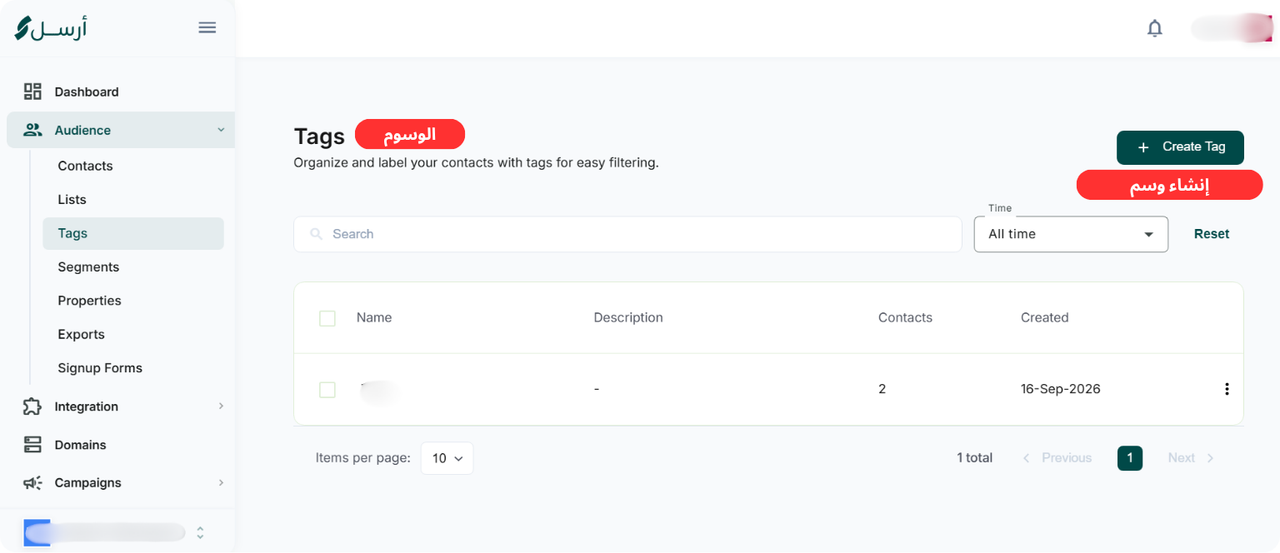
From the sidebar, open Audience → Tags, then click Create Tag (or Create your first tag if the page is empty).
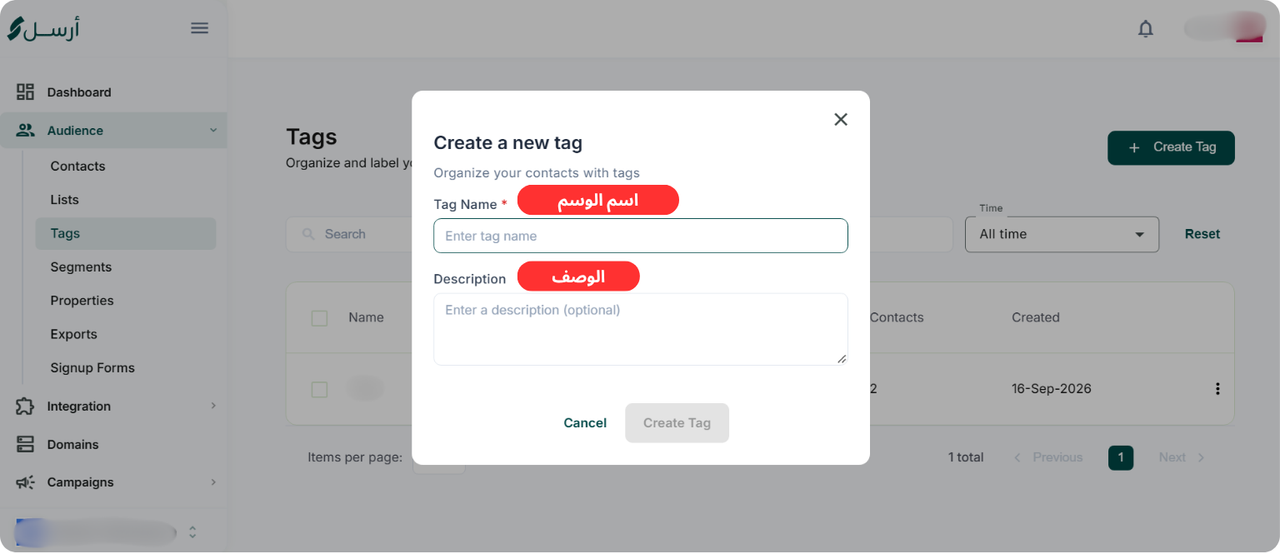
In the Create a new tag dialog, enter a Tag Name and, optionally, a Description to explain what it's for. Click Create Tag.
Step 2: Apply tags to contacts
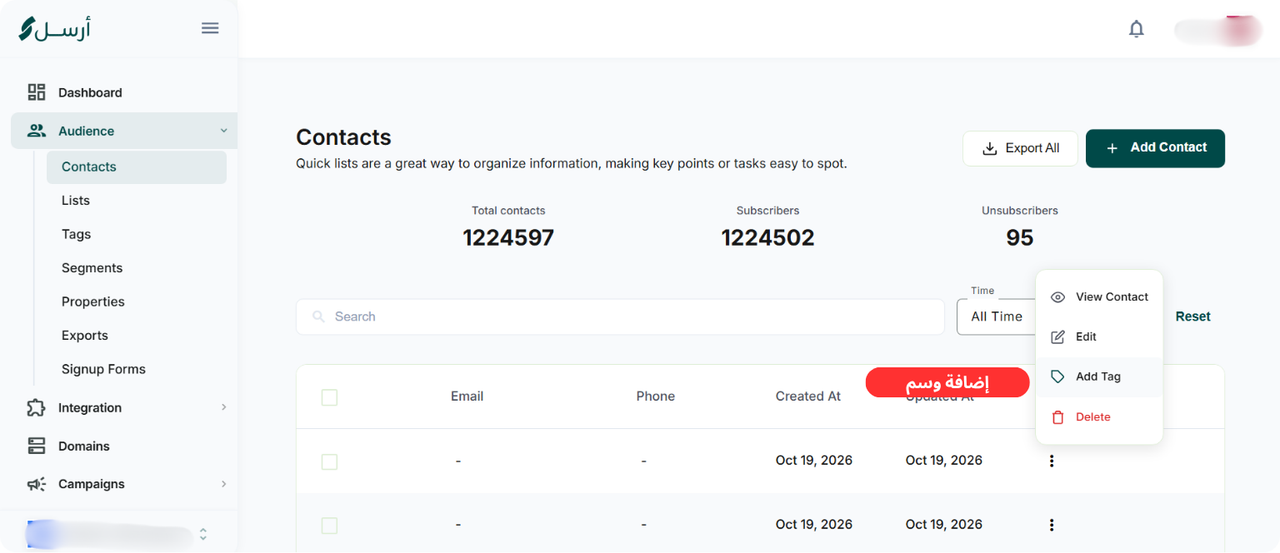
Open Audience → Contacts, find the contact you want, and click the actions menu (⋮) at the end of the row. Choose Add Tag. You can also apply tags to many contacts at once, or automatically through a sign-up form so new subscribers are labeled by source. See How to Create a Sign-up Form.
Step 3: Target campaigns with tags
Tags become powerful when you use them to target. In the segment builder, filter to contacts that have (or don't have) a specific tag, then send only to them. See How to Use the Segment Builder.
Naming best practices
- Use a consistent format: lowercase with hyphens, like
source-website, notWebsite Source. - Group related tags with a prefix:
source-,interest-,event-. - Create tags you'll actually use for targeting; a tag no campaign ever uses is just clutter.
Common mistakes to avoid
- Inconsistent naming.
VIP,vip, andV.I.Pbecome three different tags and break your targeting. - Using a tag for data that should be a property. City or plan belong in properties, where you can filter by their values.
- Tag sprawl. Dozens of one-off tags make your list harder to manage, not easier.
Next steps
- How to Use the Segment Builder
- What Are Properties and How to Use Them
- How to Upload a Contact List
- How to Create an Email Campaign